Review workflow connections
Discover global and project workflows and inspect their directed transition graphs. Check coverage warnings: scans are capped at 1,000 workflows and stored finding detail is bounded.
Review Jira Cloud workflow structure before your next configuration change. Find unreachable statuses, dead ends, and missing paths to Done, with evidence for each finding. You decide what needs changing.
 Workflow Linter
WL007: Status is unreachableNo transition path reaches “Done” from an initial status.
WL008: Non-Done status is a dead endIssues can reach “In Progress” but cannot leave it.
WL009: No path to completionIssues in “To Do” cannot reach any Done-category status.
WL009: No path to completionIssues in “In Progress” cannot reach any Done-category status.
Actual engine results from one synthetic workflow, not customer data or a Jira screenshot. Inspect the example.
Old statuses remain. Transitions lose their source or target. Teams discover dead ends only after work is blocked. Workflow Linter turns those hidden structures into a clear, prioritized health report.
Discover global and project workflows and inspect their directed transition graphs. Check coverage warnings: scans are capped at 1,000 workflows and stored finding detail is bounded.
Structural findings and design heuristics are labeled clearly. An unreachable status can be a real connection gap; whether it needs changing is still your decision.
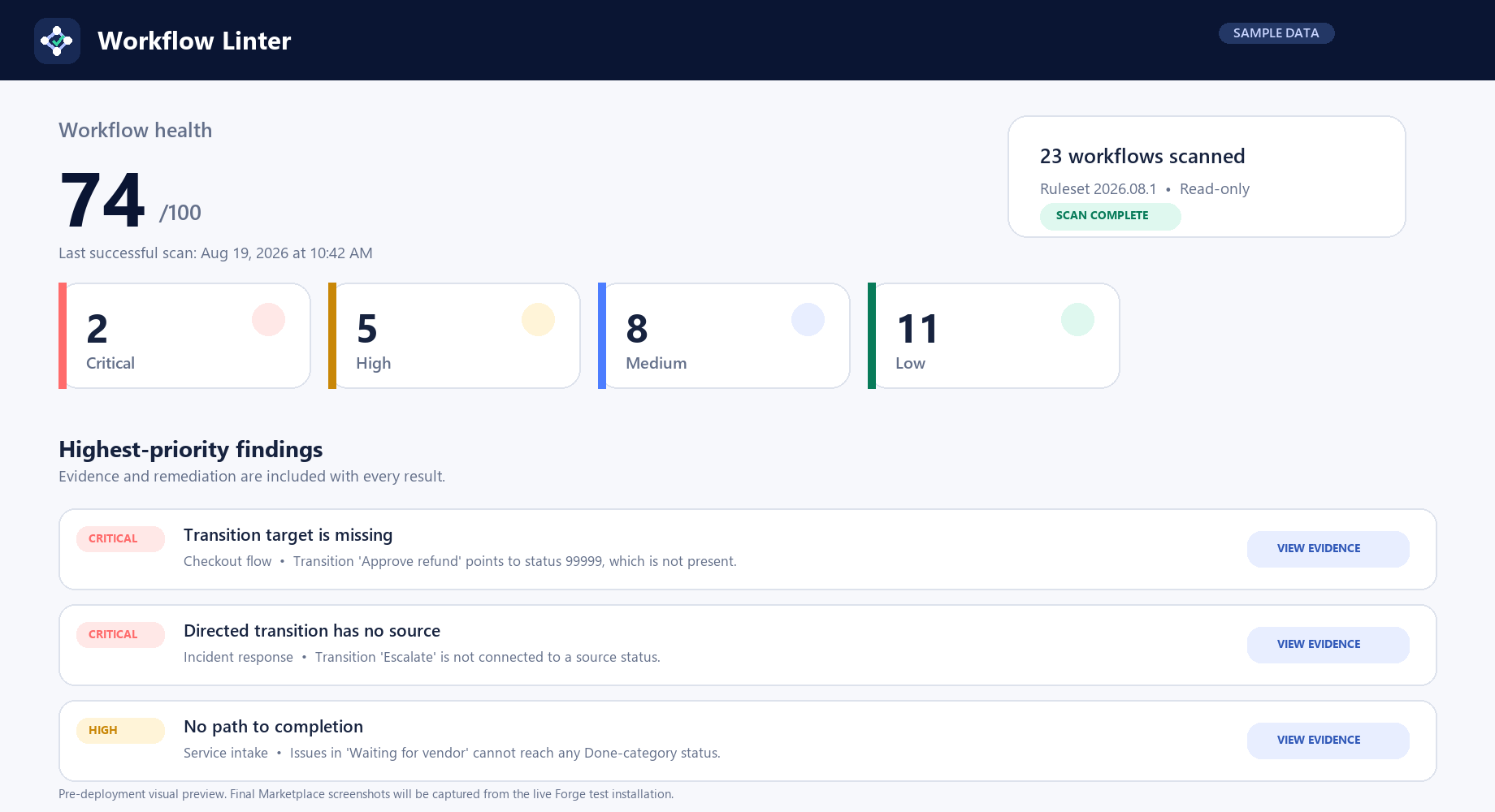
Every finding identifies the status or transition involved and explains why it matters and how to remediate it.
A simple workflow can look reasonable and still leave active work with no route to completion. Here is how Workflow Linter turns that structural problem into a precise, actionable report.
Work can start, but the workflow is missing a transition from In Progress to Done.
After adding the missing Complete transition, every active status has a path to completion.
Fourteen deterministic rules inspect the paths that matter: how work enters, what can be reached, where it can get stuck, and whether active statuses can reach completion.
Run an on-demand audit from Jira administration, or let the weekly schedule refresh results automatically.
See severity, confidence, exact evidence, business impact, and practical remediation for every finding.
Fix real defects in Jira or suppress intentional exceptions without changing the underlying workflow.
The complete product is free for sites with up to 10 users. Larger sites are billed by Atlassian with automatic volume pricing.
Full workflow scans, scheduled refreshes, suppressions, diagnostics, and exports.
Maximum of $20 per month at 100 users. Billing and licensing stay inside Atlassian.
The per-user rate declines at larger tiers. Monthly and annual terms are available through Marketplace.
Pricing is based on the Jira site user tier and is shown before purchase on Atlassian Marketplace.
Workflow Linter runs on Forge, declares no external network egress, and stores only one bounded latest report plus scan status and finding suppressions in installation-scoped storage.
Install Workflow Linter for Jira Cloud, run the first read-only scan, and review evidence without sending Jira data to an external service. Free for sites with up to 10 Jira users; larger sites use paid tiers. Review the price and trial terms before installing.